
Automating STRIDE and DREAD with TIDE
In the world of Security, we often talk about “shifting left.” We want to catch vulnerabilities before they hit production. To do that, we use two industry-standard frameworks: STRIDE and DREAD.
But there’s a problem: manual threat modeling is slow, static, and often disconnected from the actual alerts firing in your SIEM.
Today, we’re looking at how these frameworks work and how our tool, TIDE (Threat Informed Detection Engine), turns these theoretical models into automated, battle-ready detections.
1. STRIDE: Identifying the “How”
Developed by Microsoft, STRIDE is a mnemonic used to identify what kind of threats a system faces. It’s the “What could go wrong?” phase of modeling.
| Threat | Security Property | Description | Examples |
|---|---|---|---|
| Spoofing | Authenticity | Pretending to be something or someone else. | Stolen session cookies, IP spoofing. |
| Tampering | Integrity | Modifying data or code without authorization. | Modifying a SQL database, changing binary files. |
| Repudiation | Non-repudiability | Performing an action and claiming you didn’t. | Deleting logs to hide a trail, lack of audit trails. |
| Information Disclosure | Confidentiality | Exposing data to unauthorized users. | Leaking PII, directory traversal. |
| Denial of Service | Availability | Making a service or system unavailable. | DDoS attacks, resource exhaustion. |
| Elevation of Privilege | Authorization | Gaining more access than intended. | Horizontal/Vertical privilege escalation. |
2. DREAD: Quantifying the “So What?”
Once you have a list of STRIDE threats, you need to prioritize them. DREAD provides a risk-rating system (typically scored 1-10) to determine which fire to put out first.
- Damage Potential: If the attack succeeds, how bad is it?
- Reproducibility: How easy is it for an attacker to repeat this?
- Exploitability: What is the “barrier to entry” (skill/tools) for the attacker?
- Affected Users: How many people lose access or data?
- Discoverability: How easy is it for a hacker to find the vulnerability?
3. The TIDE Workflow: From Threat Actor to SIEM Coverage
While STRIDE and DREAD tell you what to worry about, TIDE tells you how to stop it. Here is how TIDE automates the journey from an abstract threat to a live detection rule:
Step 1: Intelligence Led Discovery
Start by picking a Threat Actor or Intrusion Set (via OpenCTI). TIDE immediately shows you their known techniques and your Current Coverage heatmap.
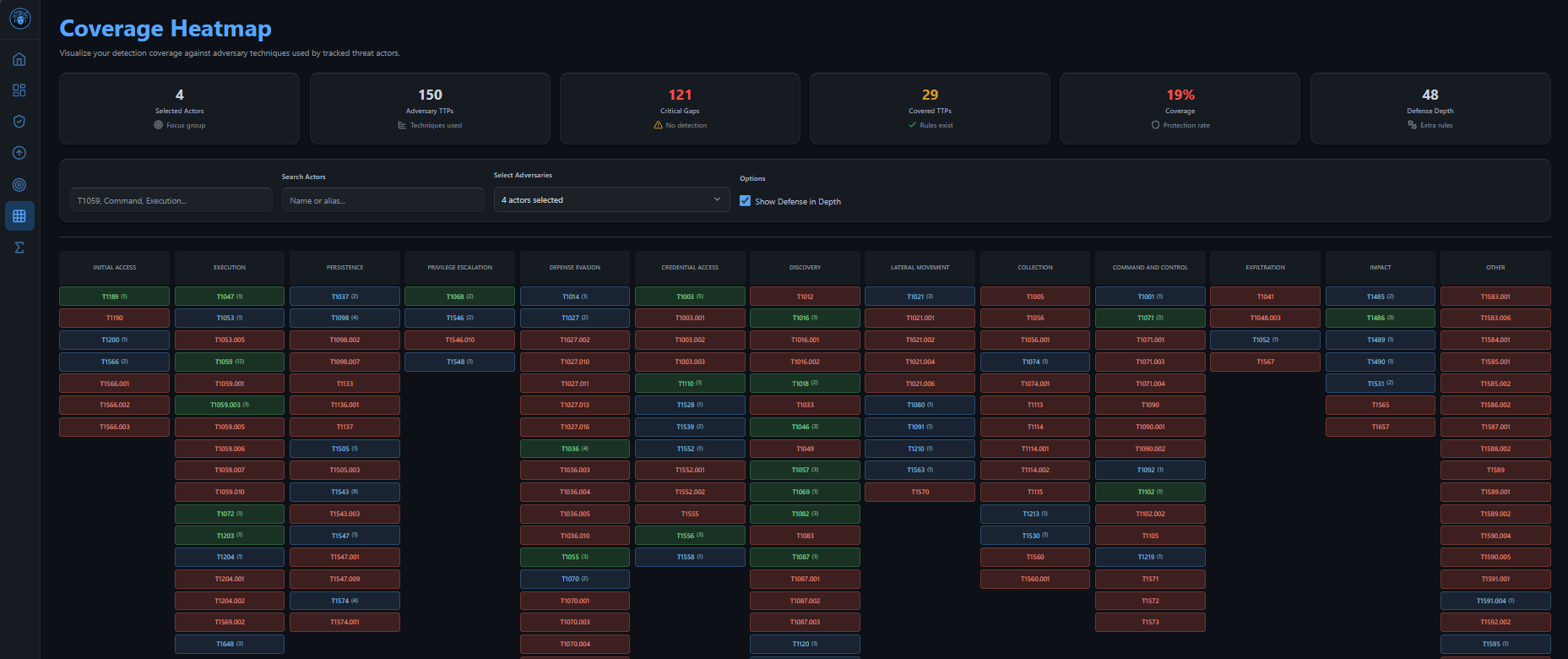
Step 2: Identify the Gap
We’ll use Valid Accounts (T1078)—a classic Spoofing and Elevation of Privilege threat. TIDE displays that we have 12 current rules mapped to this, but we can still use the sigma link to see if we can enhance over coverage.
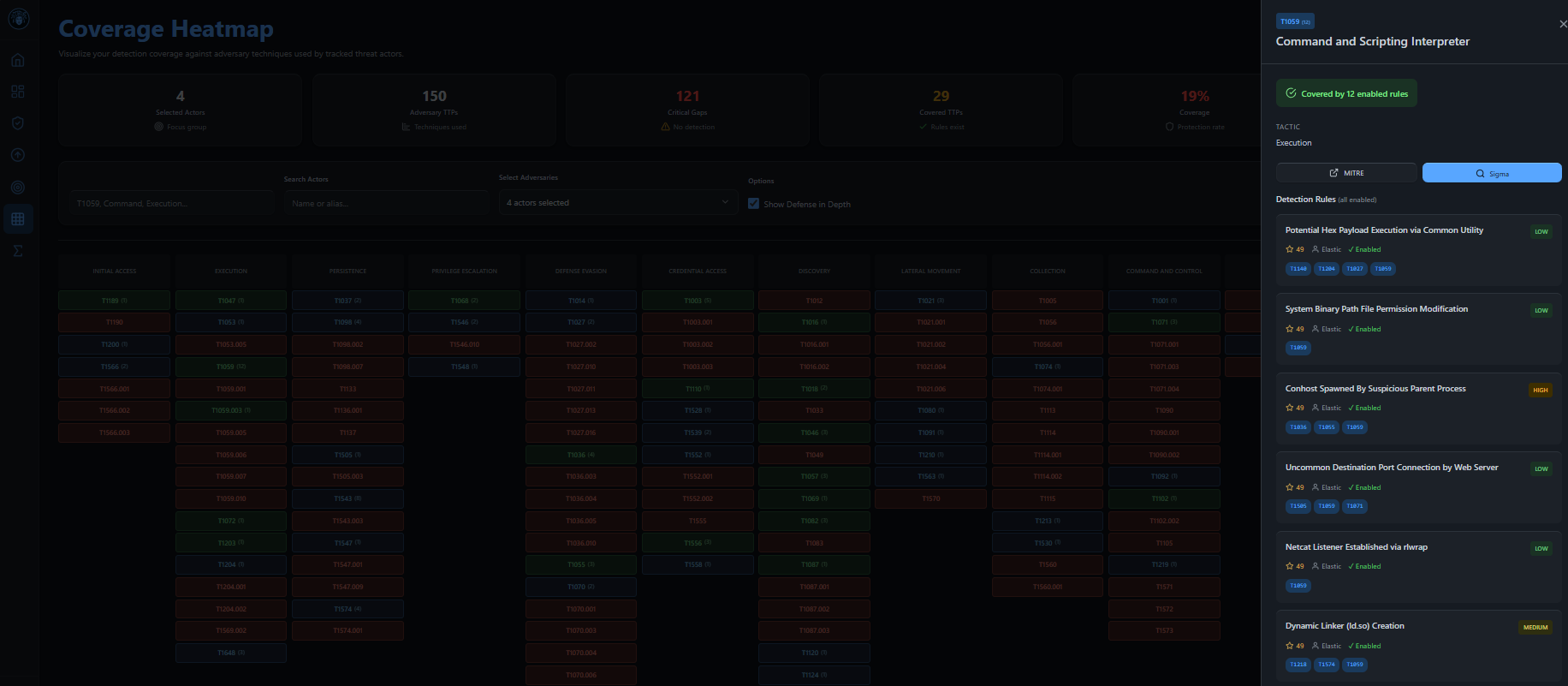
Step 3: See Technique detail
Clicking T1078 pops out a Technique overview, showing number of rules if any, and also a link to the sigma page.
Step 4: Source the Logic
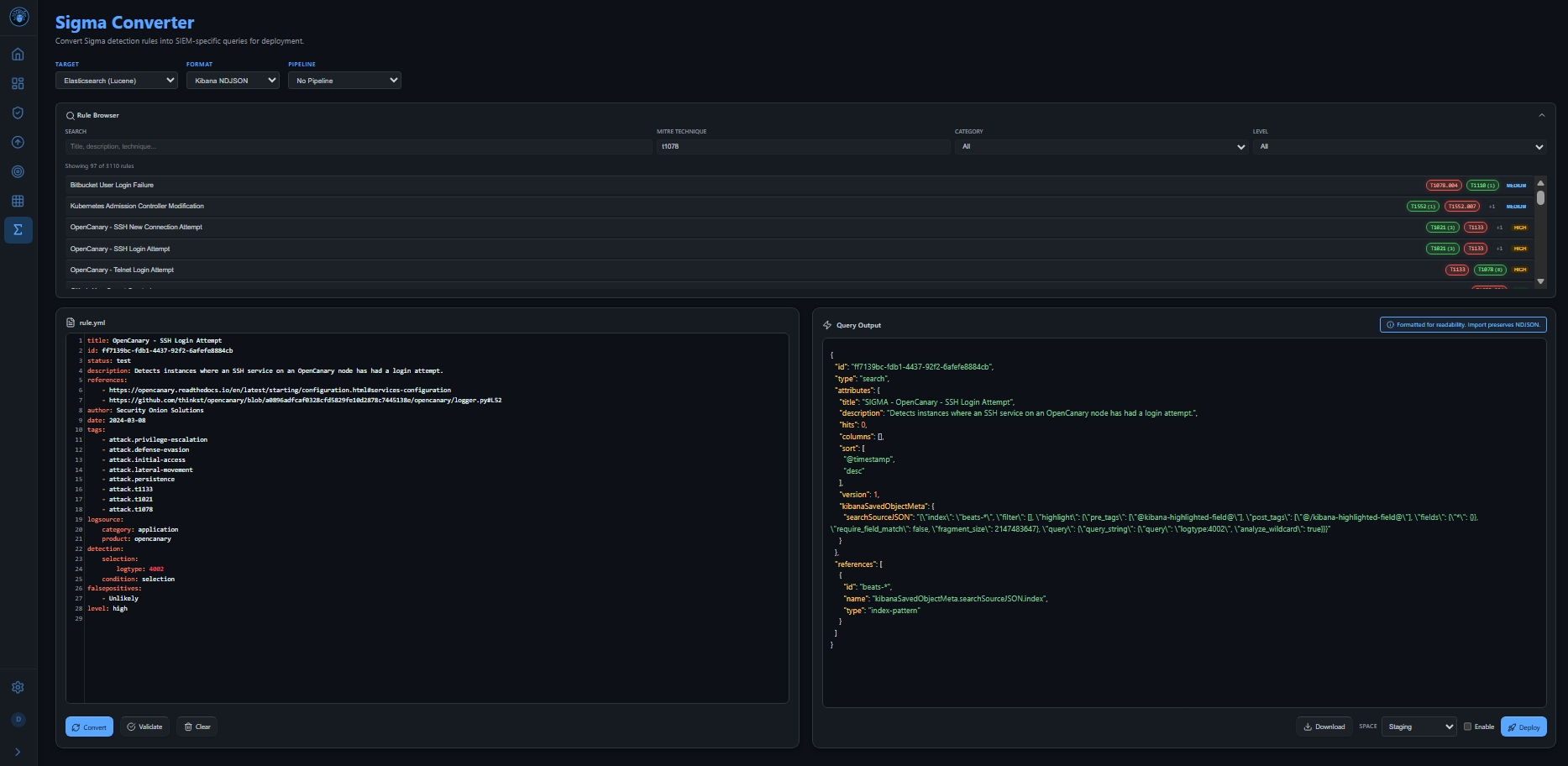
Clicking Sigma takes you to a dedicated Sigma page. TIDE filters all available SigmaHQ rules for that specific technique (T1078). You pick the most relevant rule for your environment.
Step 4: Convert and Stage
TIDE converts the Sigma rule into your specific SIEM language (Elastic, Splunk, etc.) and can deploy it to your Staging environment.
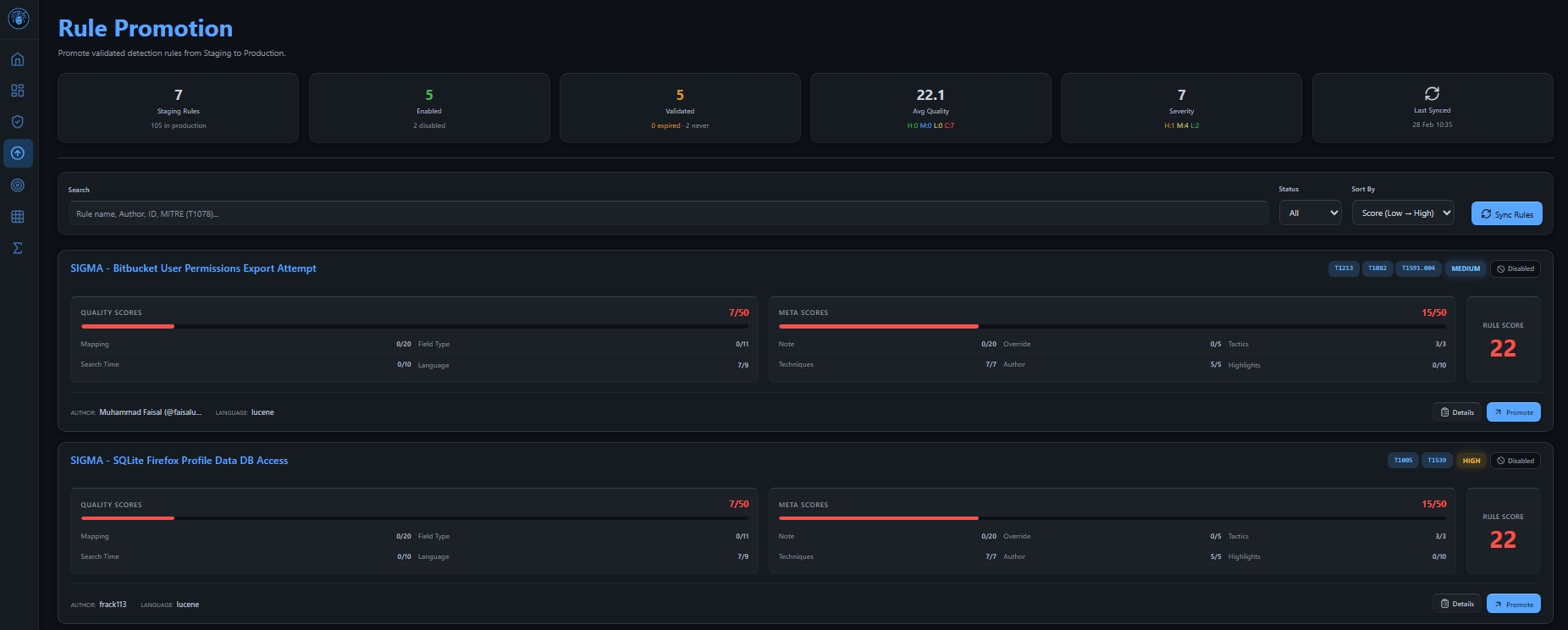
Step 5: Audit and Quality Control
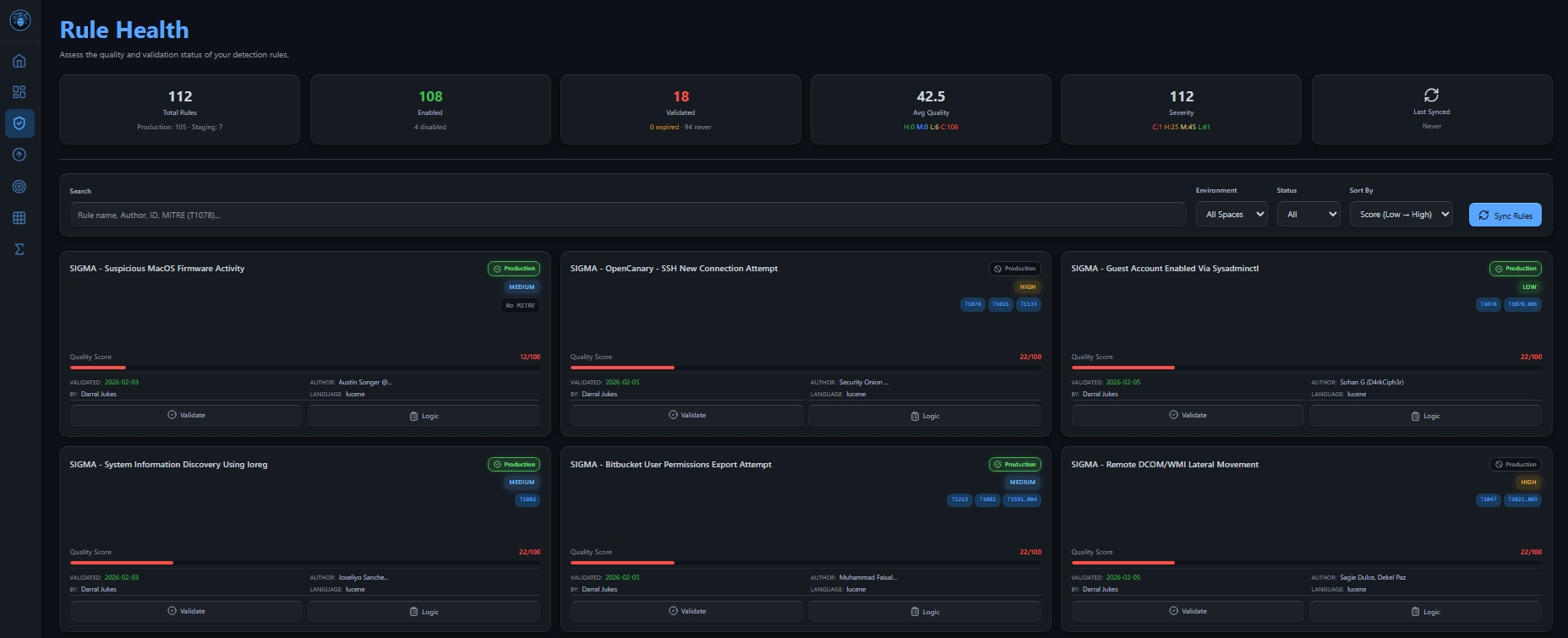
In the Staging view, you can review the Rule Score and logic. TIDE highlights metadata gaps so you can refine the rule before it goes live.
Step 6: Promote and Visualize
Once you’re happy, hit Promote in TIDE. The rule moves to production, and your MITRE heatmap updates instantly.
Conclusion: Stop Modeling in a Vacuum
Threat modeling shouldn’t be a one-time exercise that lives in a PDF. With TIDE, your STRIDE and DREAD models become living, breathing components of your SOC.