
USER CASE: Threat to Detect
Security is often siloed. A CISO identifies a risk, a manager assigns a task, and an engineer writes a rule, but often, no one can actually prove the original risk was neutralized.
In this use case, we look at the Enterprise Onboarding Process: a structured journey that takes a high-level security concern—unauthorized Root Certificate installation—and turns it into a verified, high-quality detection in your SIEM.
Here is how TIDE facilitates that journey.
Step 1: The Strategic Kickoff (The CISO)
The Objective: Define what matters.
During an initial onboarding session, the CISO identifies Supply Chain & Interception as a top-tier priority. Recent threat intelligence suggests adversaries are increasingly using Adversary-in-the-Middle (AiTM) tactics, installing custom Root Certificates to intercept encrypted traffic.
- Action: Create “Trust Store Integrity” project in TIDE.
- The Goal: Detect any attempt to bypass browser warnings or decrypt internal traffic via rogue Certificate Authorities (CAs).
Step 2: The Tactical Blueprint (The Manager)
The Objective: Translate risk into TTPs.
The Security Manager takes the “Trust Store” initiative and uses TIDE to map it to the STRIDE framework and MITRE ATT&CK.
- The TTP List:
- T1553.004 (Install Root Certificate)
- T1112 (Modify Registry)
- T1546.001 (Change Default File Association)
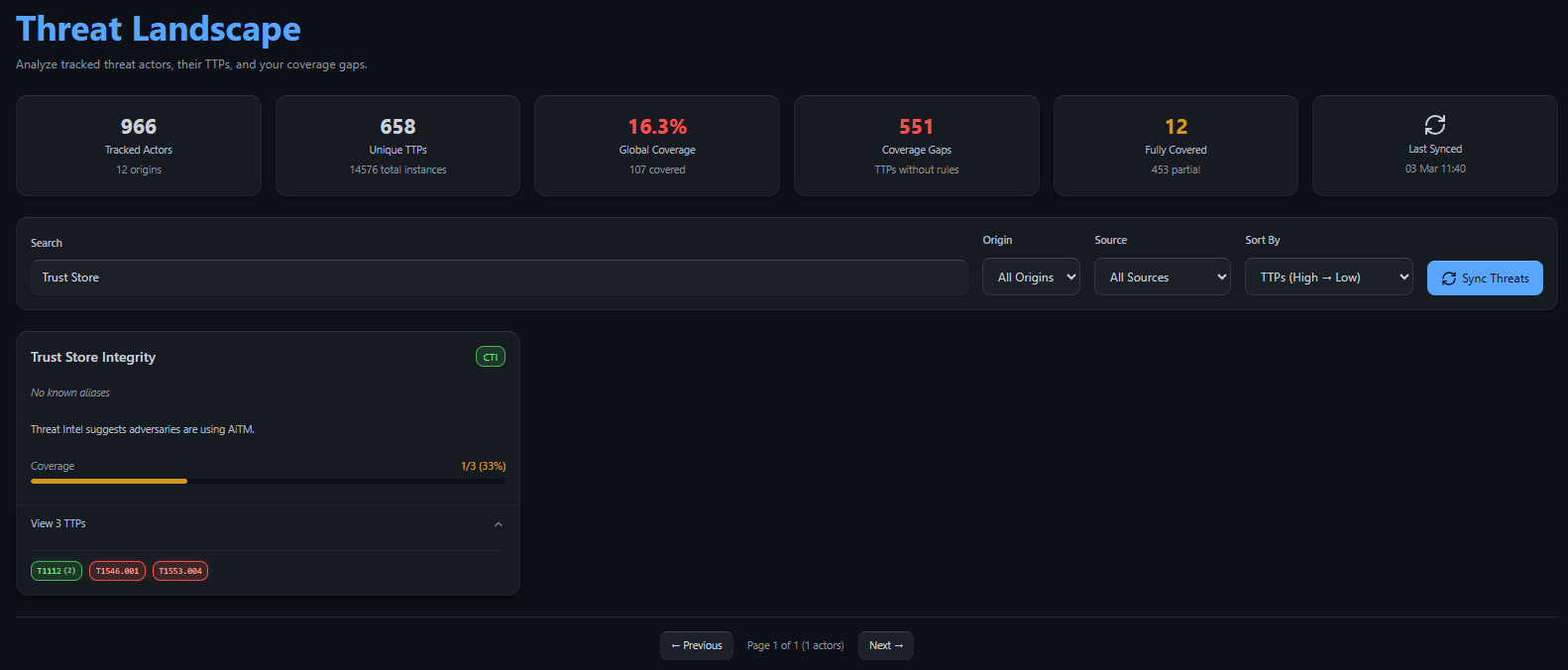
The Gap Discovery: Looking at the Threat Landscape, the Manager sees that while T1112 is already covered by 2 rules, T1553.004 shows as a Red Pill (Gap). This visual indicator proves that despite having registry monitoring, the specific logic for Root Certificate injection is missing.
Step 3: The Technical Execution (The Engineer)
The Objective: Find, convert, and deploy the logic.
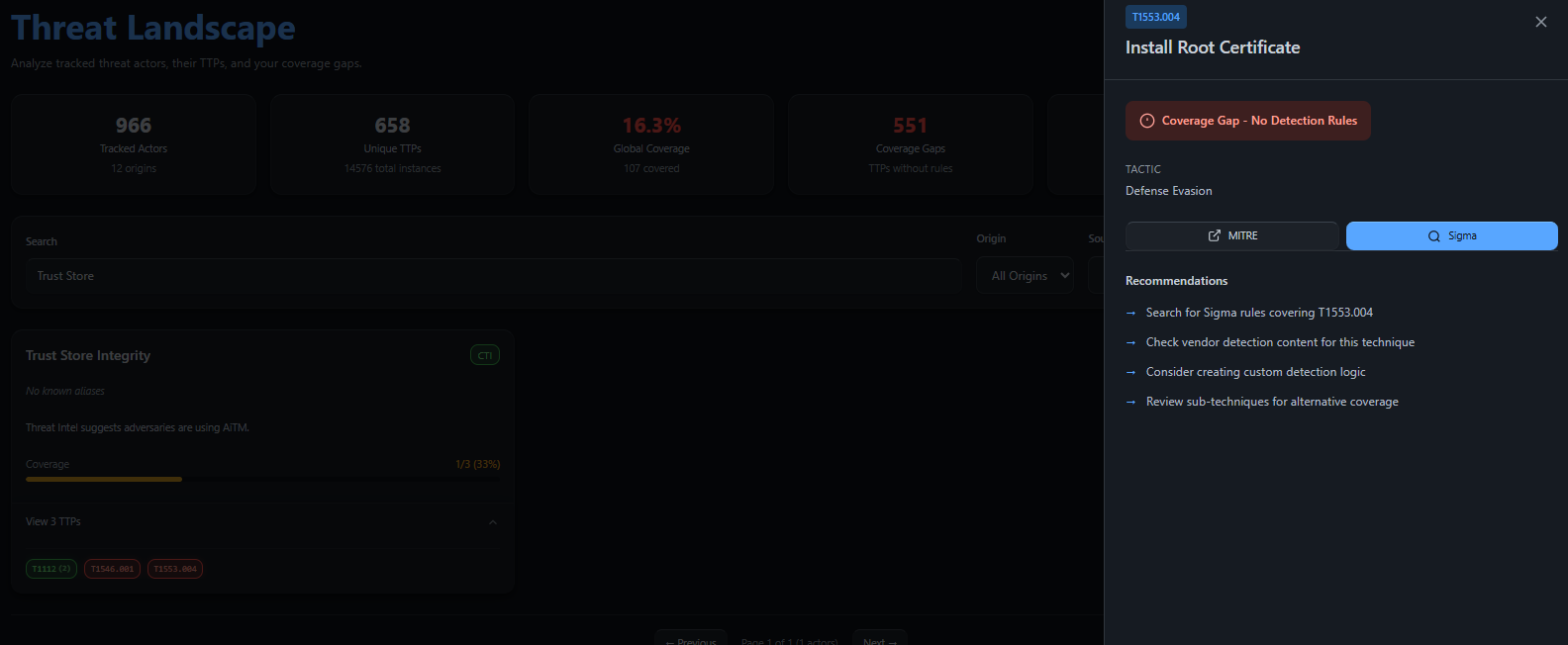
The Engineer clicks the Red Pill for T1553.004. A pop-out menu appears, confirming “No Rules Found” for this technique, but providing a direct action button to the Sigma Converter.
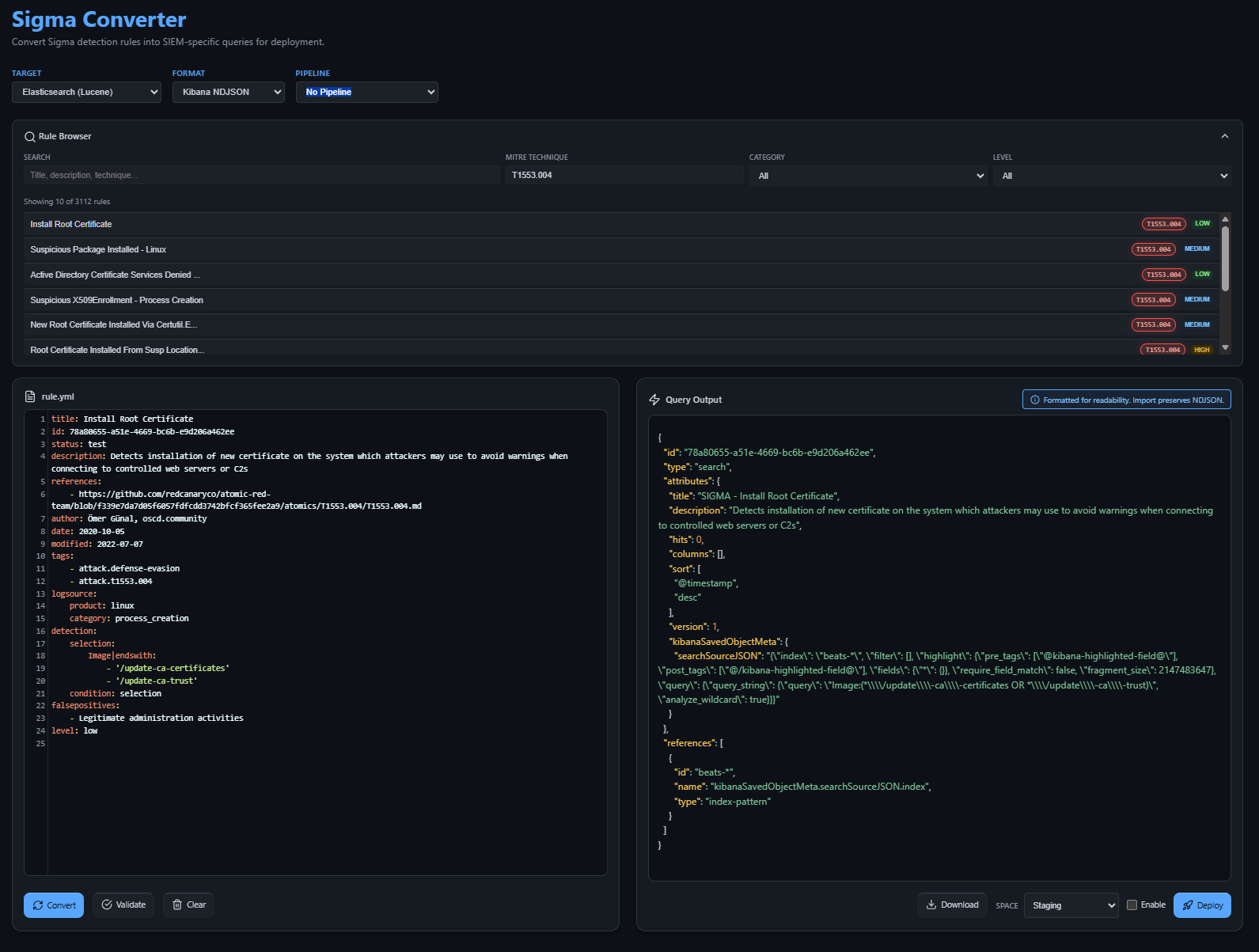
- Sourcing: Clicking Sigma takes the Engineer to the TIDE Sigma page, already pre-filtered for the specific TTP. They find the rule targeting certificate update utilities (e.g.,
certutilorupdate-ca-certificates). - Conversion: The Engineer selects their SIEM target (e.g., Elastic) and hits Convert.
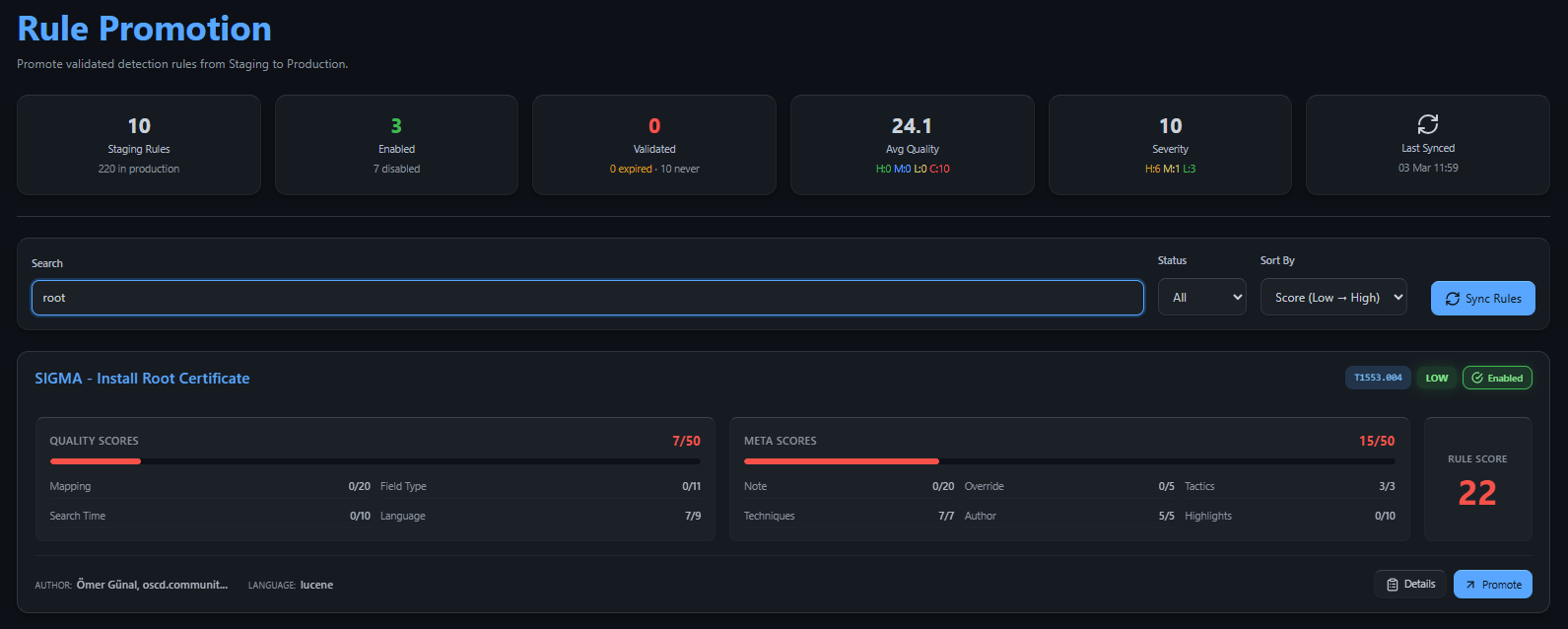
- Staging: Before going live, the rule appears in the SIEM Staging Area. This allows the Engineer to verify the logic against real-world telemetry without triggering false alerts in production.
Step 4: Closing the Loop (Verification)
The Objective: Confirming the defense is live.
Once satisfied in Staging, the Engineer hits Promote within TIDE to move the rule into the active production environment.
- Automatic Update: The Engineer returns to the Threat Landscape. The previously “Red” gap for T1553.004 is now marked as Covered.
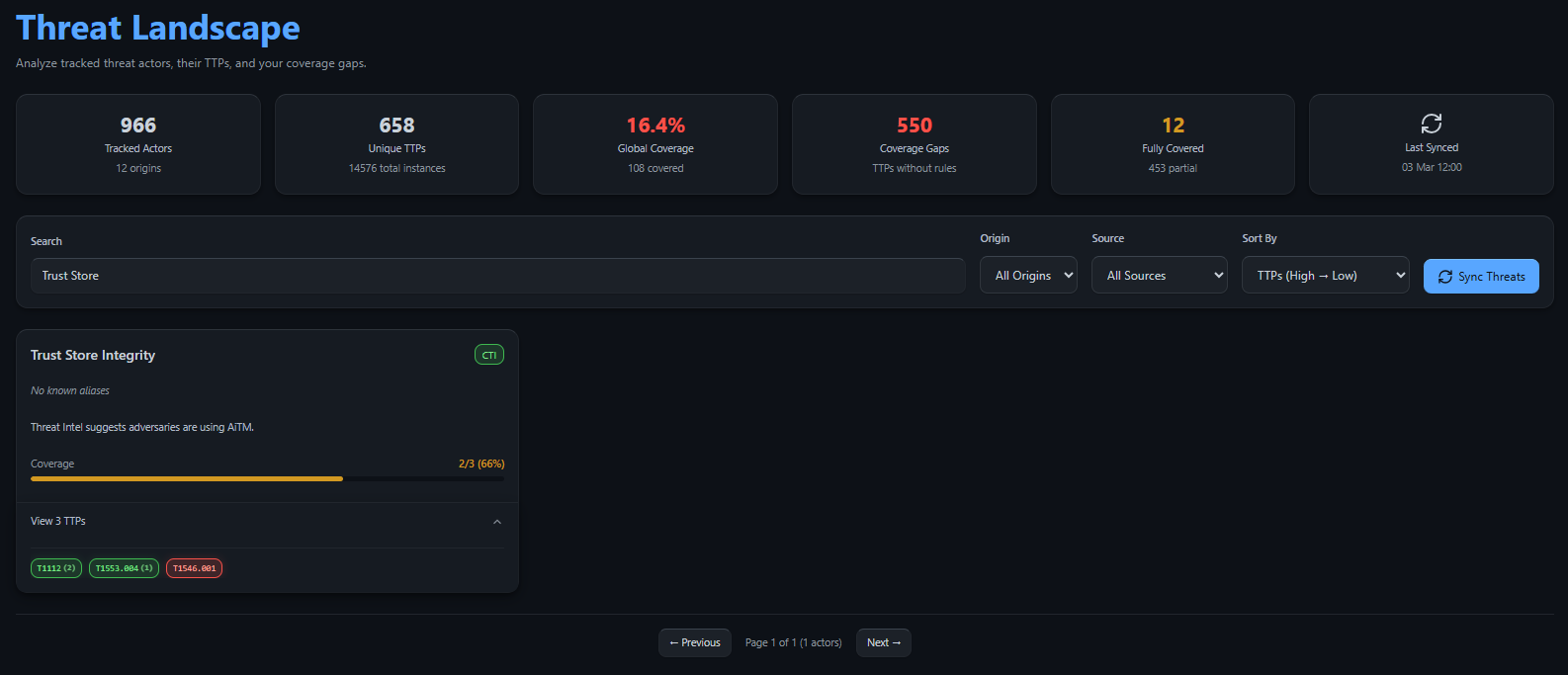
- Executive Proof: The CISO logs back in. They see the “Trust Store Integrity” project move toward completion. The process then repeats for the remaining gap: T1546.001.
The CISO Result: “I asked for interception protection. TIDE shows me exactly how we achieved it, turning a blind spot into a hardened defense.”
Future-Proofing with OpenCTI
Currently, to enrich these cases with the latest global threat intelligence, users can add a container as an OpenCTI intrusion set. 1 This allows you to pull in specific “Root CA” threat actors and campaigns directly into your mapping workflow.
Note: While this is currently handled via external container integration, this capability will be fully native within TIDE in a future release, providing a seamless, single-pane-of-glass experience for threat-informed defense.
Summary: A Unified Language for Security
By following this onboarding process, TIDE ensures that security isn’t just a series of disconnected technical tasks. It becomes a verifiable business process where the Engineer’s hard work is directly visible as CISO-level risk reduction.
Is your team speaking the same language? Stop guessing and start onboarding with TIDE.
-
This will be included in TIDE in the near futre ↩